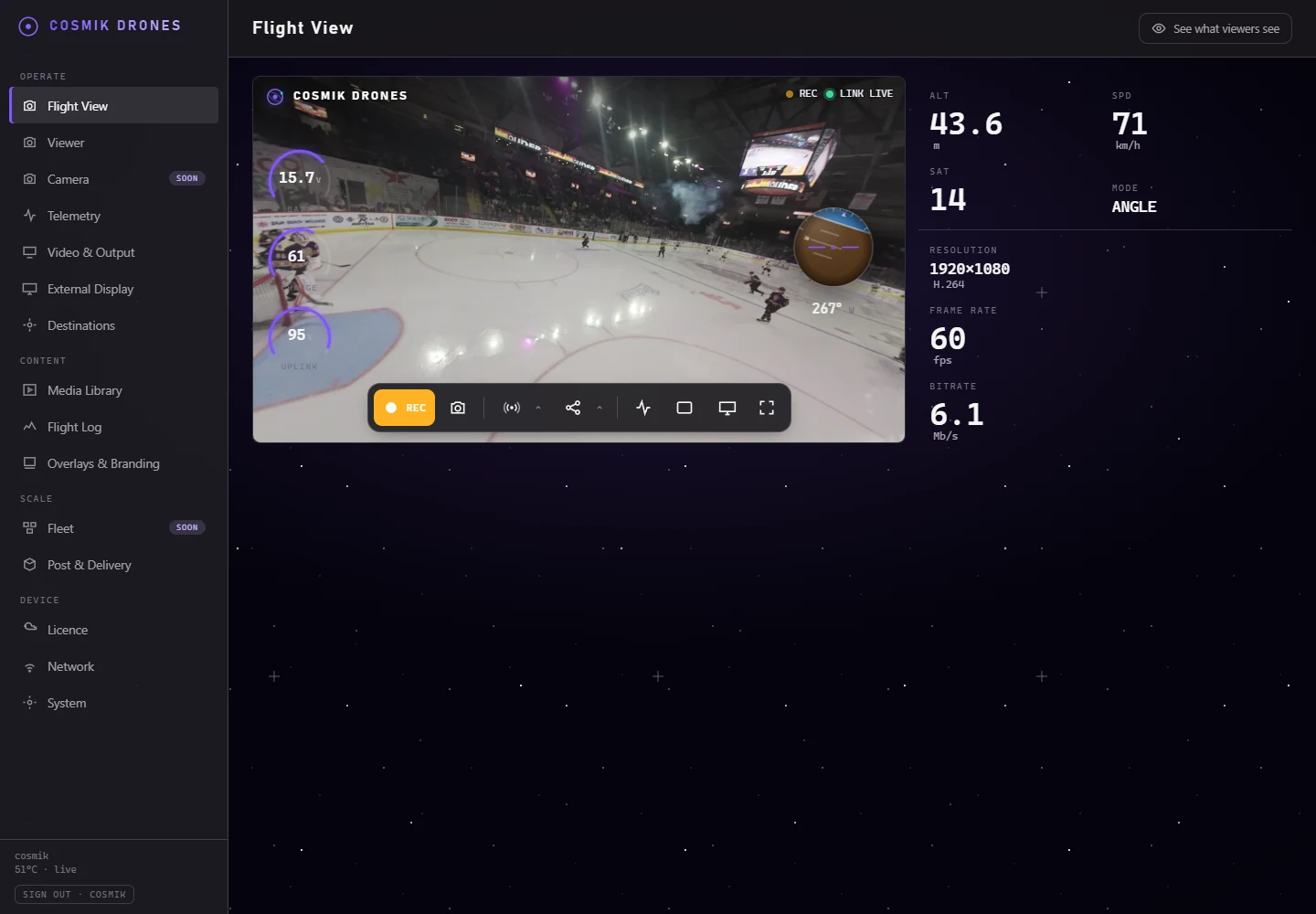
Crew watches the live flight.
Guest or production browser, or an HDMI screen on the truck.
AvailableProduction workflow
Give the crew a live picture, record the review copy, mark requested ranges, manage the queue, and move the job to the editing computer.
Current interface
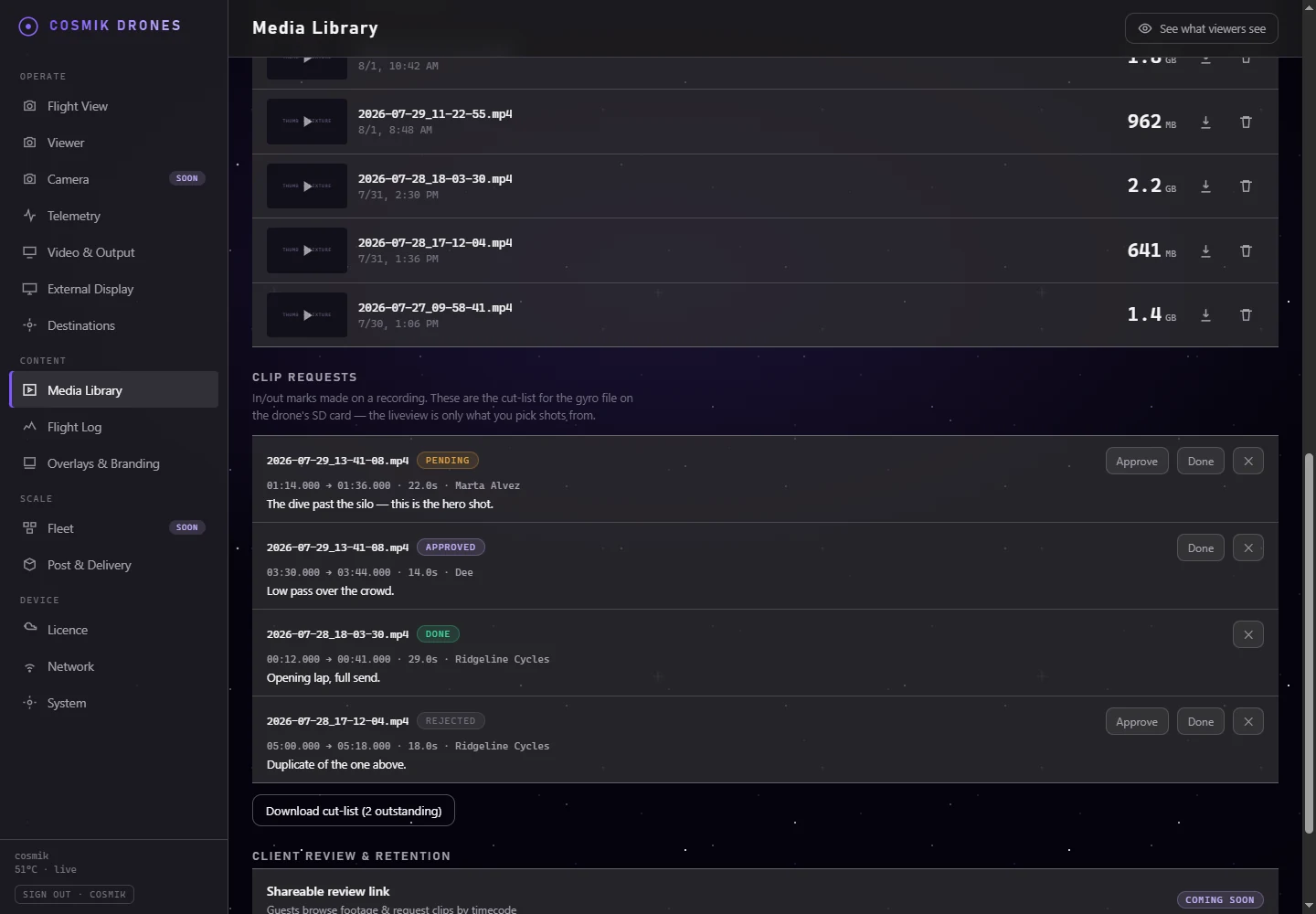
These are exact product captures, not redrawn screens. Select a stage to bring its working surface forward.
Workflow
Every step below is built and has been run end to end on real hardware, with the aircraft's own card, to finished stabilized clips.
Guest or production browser, or an HDMI screen on the truck.
AvailableRecording, thumbnail, playback, seeking, download, and local retention.
AvailableVisual In/Out, requester, contact, note, queue status, and shot-list export.
AvailableCosmik reads the card and lines the flight up against the aircraft's own recording. Accurate to about five seconds; a frame-exact confirmation step is not built.
AvailableOne GyroFlow project per request, the shot list, and instructions — written to the card by one button.
AvailableAfter the flight
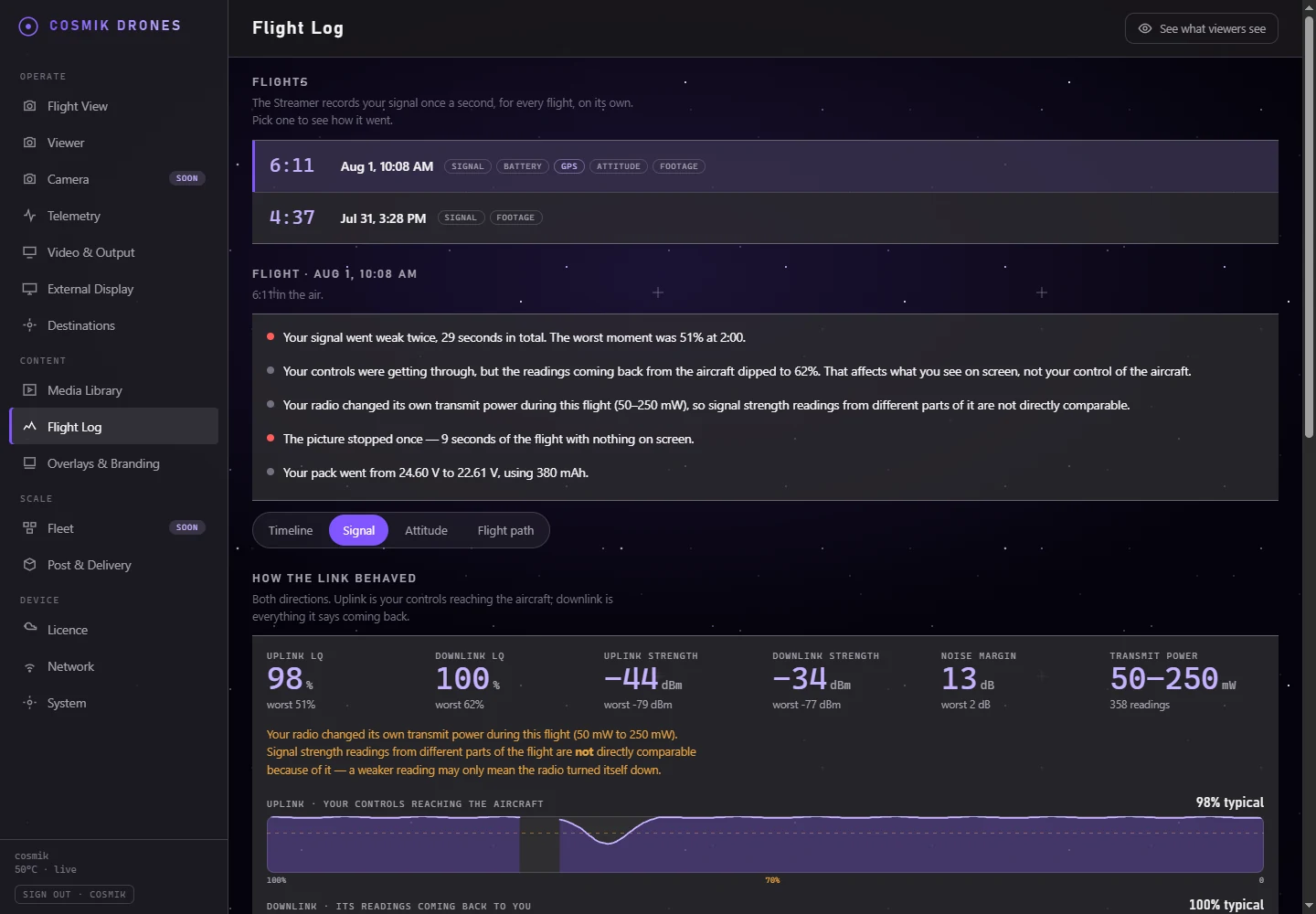
The Flight Log aligns uplink, downlink, picture, battery, and recording state. A flagged event can open the saved review copy at the same point, so production can inspect the cause without scrubbing the whole flight.
The selection
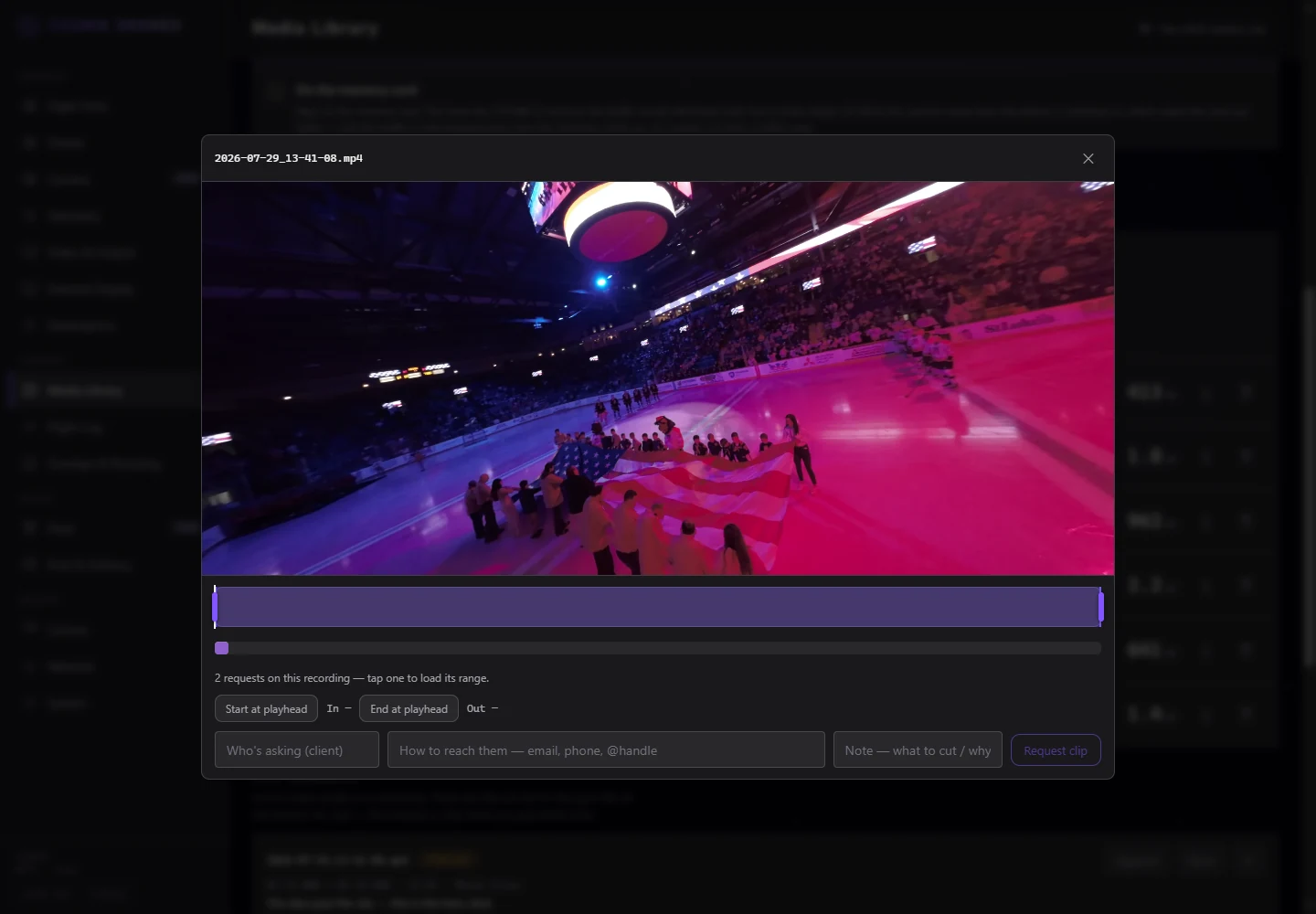
The reviewer sees the recording, selected band, playhead, exact start, exact end, and selected duration together. Their name and edit note travel with the request.
The queue
Requests do not disappear into chat. The library keeps the file, time range, duration, requester, note, and state in one place.
During the flight
The live browser, clean local protocols, production broadcast, restream targets, and HDMI display are separate surfaces—not one overloaded screen.
No owner-console password is required for the ordinary visitor view.
The Streamer recognises the screen and restores the framing you chose for it. Driven on a real monitor with the live picture.
Logo, lower-third, timecode, and Fit/Fill/Crop stay off the ordinary live path.
Clean publishers are established. The newer per-destination Branded choice is built and awaiting its end-to-end device check.
Use the clean feed or the production broadcast path where available.
Original media
Cosmik lines the flight up against the recording on the card and names the real file, with the in and out points moved onto it. Here is exactly how far that goes, and where it stops.
The airborne stretch of the flight log is aligned to the card recording that fits it, so the two devices never have to agree about the time of day.
The card is read, every recording on it is measured, and the best fit is chosen automatically.
The shot list names the card, the file, and the in and out points on that file.
It lands the moment within about five seconds. That is enough to find the shot, not to cut it frame-exact.
A confirmation step where the pilot nudges the match to the exact frame.
Refusing to guess is deliberate: an ambiguous card is left unmatched and says why, rather than naming the wrong file.
DJI air-unit cards are what this was proven on. Action-camera cards have not been tested.
Drone media stays read-only while it is inspected. Cosmik writes only into its own folder on the card.
Current file handoff
Cosmik creates one GyroFlow project per outstanding request, plus the shot list and a README. Press one button and the whole bundle is written into its own folder on the card you already have to carry home.
Numbered GyroFlow projects carry each proxy In/Out range. The shot list keeps the requester, contact, note, state, and matching project filename.
The projects reproduce the requested trim ranges. Because the liveview proxy has no motion data, stabilization still requires the air unit’s original recording.
Free desktop handoff
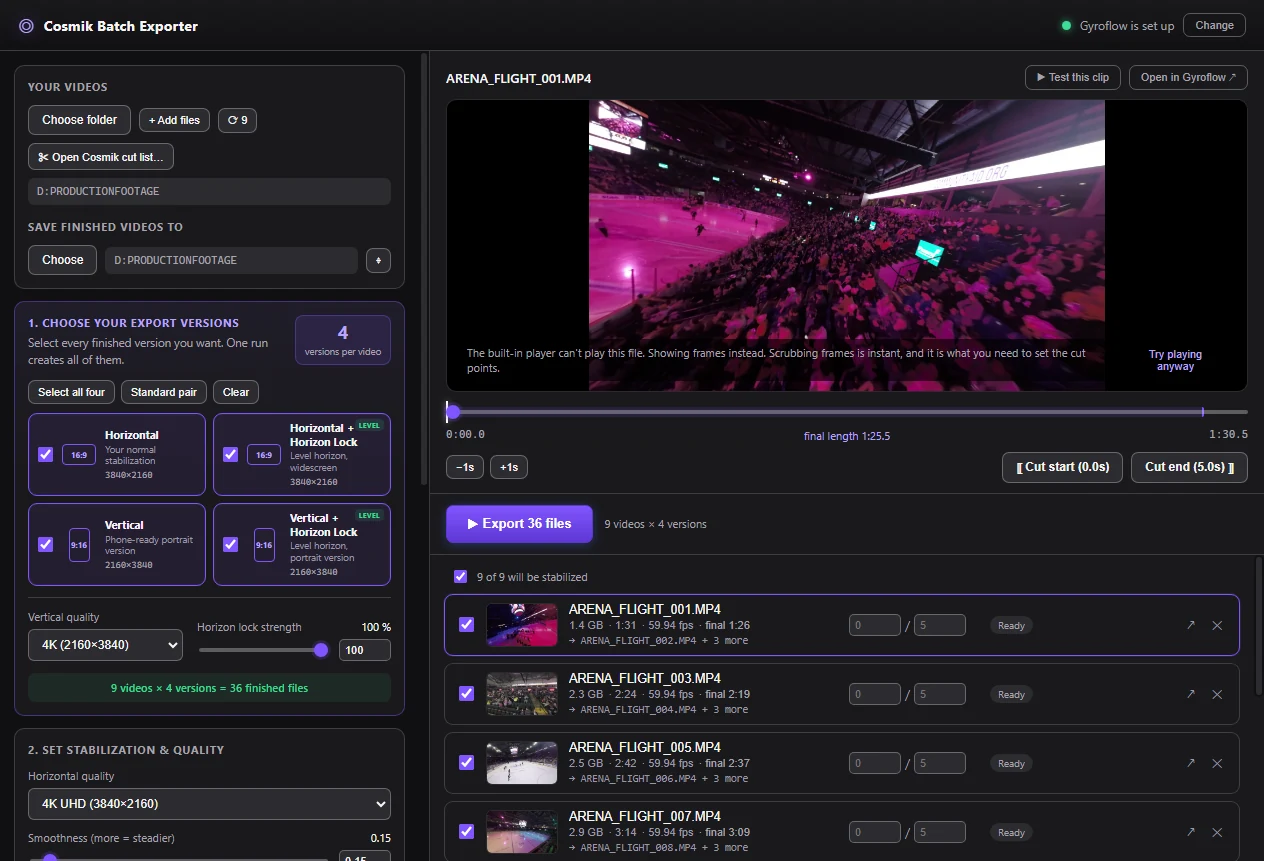
The Exporter reads the Streamer ZIP, creates one queue entry for each request it can resolve, and passes the selected jobs to the installed Gyroflow command-line tool.
Operating guide
The guide covers recording, media review, clip marking, queue states, Batch Exporter, outputs, and troubleshooting.