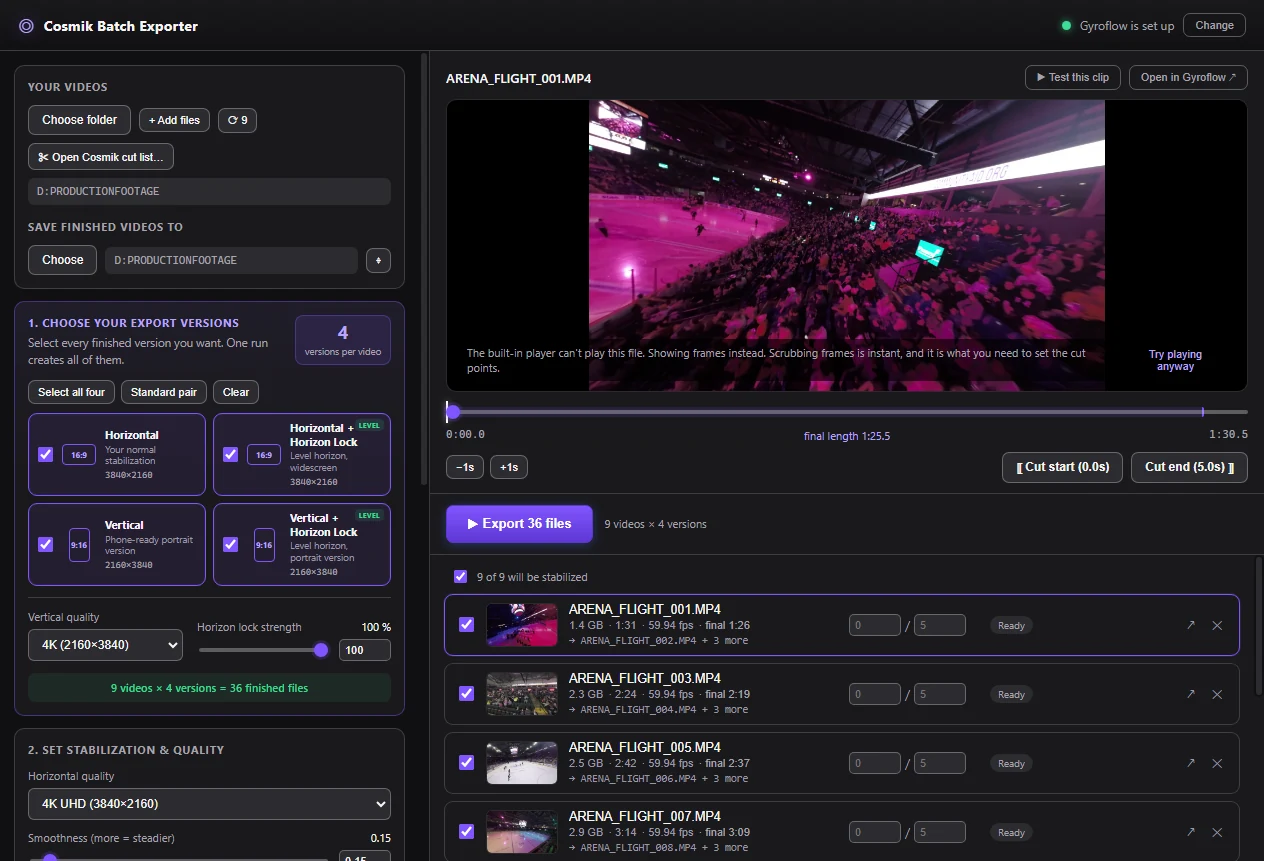
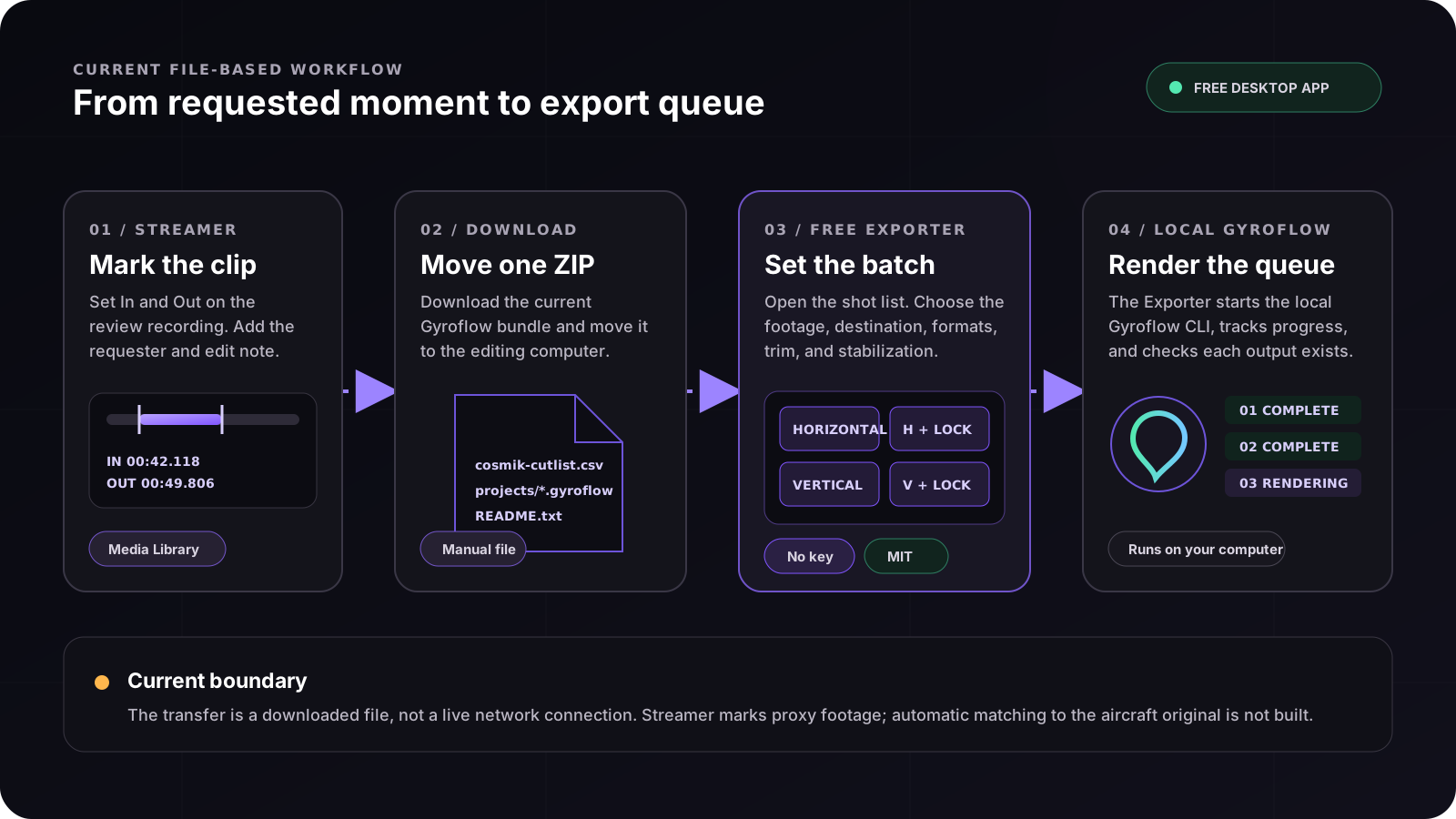
01 / INPUTFolders, files, or a Streamer bundle
Drag in a folder, add individual recordings, or open the ZIP, extracted folder, or CSV from Streamer.
02 / TRIMKeep several parts of one clip
Press I and O in the preview to mark the parts worth keeping — as many as you like. Each marked part becomes its own finished file, in every version you selected. A single trim for the whole batch still works too.
03 / VERSIONSHorizontal and vertical in one run
Produce standard and horizon-locked versions, with independent horizontal and vertical resolutions.
04 / CONTROLPractical controls first
Smoothness, zoom, horizon lock, sound, and GPU selection stay visible. Detailed Gyroflow options remain in the Advanced section.
05 / QUEUEProgress for every output
Run several jobs at once, see the status of each file, receive a completion notice, and open the output folder.
06 / PRESETSRepeat the same delivery setup
Save settings and naming patterns for future jobs. Each output keeps a clear orientation and horizon-lock label.
07 / SPLIT RECORDINGSLong flights come back in one piece
DJI and GoPro cameras split a long flight into ~4 GB files, a few minutes each. With Combine split recordings on, the Exporter finds the pieces of each flight and joins them back into one video — losslessly, with the motion data in sync — before stabilizing. Combine now lets you watch and trim the whole flight first; switch it off to keep the files separate.
08 / MOTION CHARTSee where the action is
A chart under the preview shows how hard the camera was moving at every moment, so the fast passes and the calm passes are visible before you choose what to keep.
09 / COLORAdjust the look of a finished clip
Open any finished clip, move six simple sliders with a live preview, and save the result. Save a look you like and apply it to other clips. The written file always comes from the real encoder, never the preview.
10 / A RUN THAT SHOWS ITS WORKNever wonder if it’s stuck
Copying shows its real speed and time left; each clip shows its place in the queue and an honest estimate measured from the run itself — and the finish line says exactly what was made and where.
11 / EVERY CLIP IS STILL YOURSOne button, full control
The shot list stays a single press — and before pressing, you can open the list of clips it will make: watch each moment, adjust its start and end, or give any one clip its own stabilization settings. All optional; skip it and the button works exactly as before.